
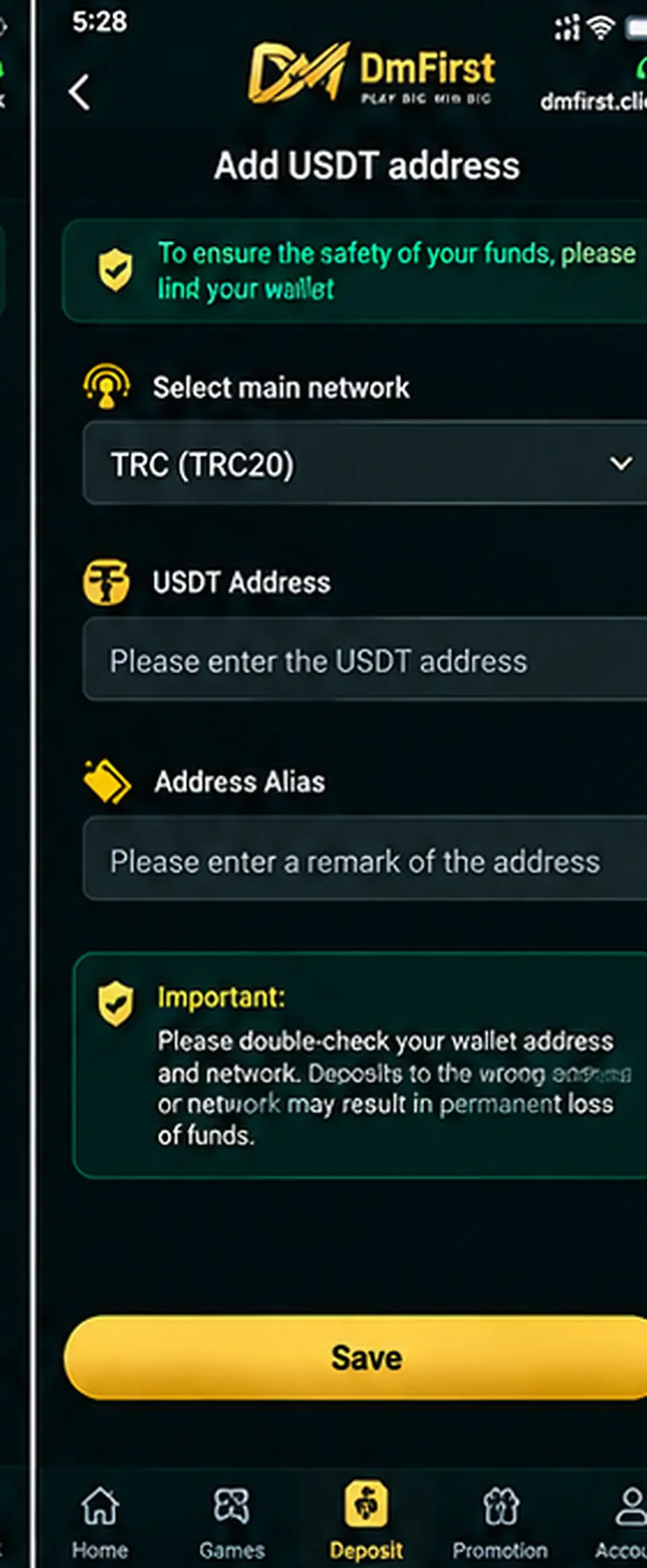
Step-by-step instructions
1
Open Add USDT AddressGo to the wallet or payment-method area and choose the USDT option.
2
Select the correct networkChoose the same network used by the receiving wallet. The example screen shows TRC (TRC20).
3
Copy your USDT receiving addressGet the address directly from your own compatible wallet or exchange account.
4
Paste the address carefullyAvoid manually typing long wallet addresses. Compare the beginning and ending characters after pasting.
5
Add an address alias if requestedUse a simple label that helps you recognize the wallet later.
6
Double-check and saveA transfer sent to the wrong network or address may be irreversible, so verify both before saving.
Crypto warning: Network compatibility is critical. Do not send funds until you have confirmed the destination wallet supports the selected USDT network.
Screens and labels can change when the external platform updates. Follow the wording currently shown on your device.